Introduction to Instagram Profile Customization
Instagram is widely known for its clean and minimal interface. Although users can change themes in chats and apply filters to posts, many still wonder if it is possible to change the background colour of their Instagram profile page. This idea has become a trend among creators who want their profile to stand out visually. Understanding how profile customization works helps users explore creative ways to personalise their Instagram experience.
Can You Change Instagram Profile Background Colour Directly
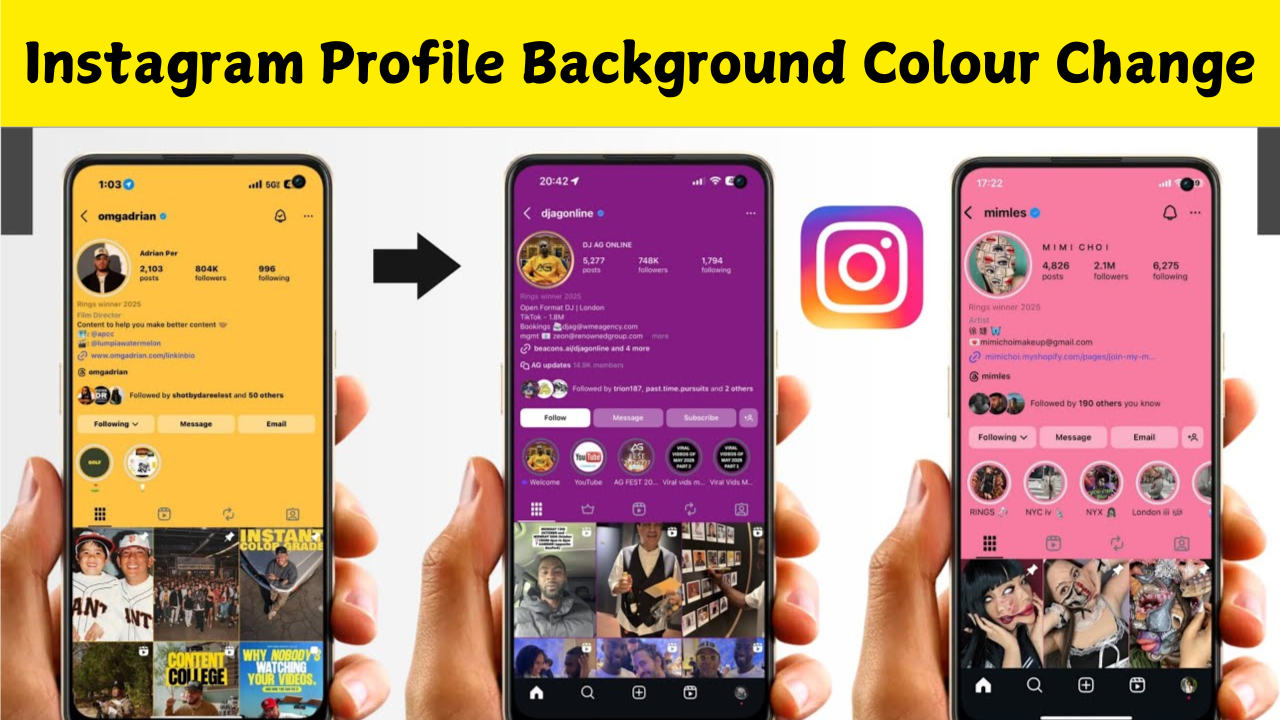
Instagram does not currently offer a built-in setting to change the background colour of your profile. The default theme is controlled by Instagram’s design system and changes only with your phone’s light or dark mode settings. This means users cannot manually select colours for the profile background within the app. However, there are simple tricks and indirect methods that create the appearance of a customised profile.
Light Mode and Dark Mode Trick
The simplest way to alter the entire visual feel of your Instagram profile is by switching between light mode and dark mode on your phone. Instagram automatically adapts to the global theme. If you are using light mode, the profile background appears bright. If you switch to dark mode, the background becomes deep black or dark grey. Many users use this trick to get a darker or lighter profile appearance without using any external tool.
Using Creative Profile Highlight Covers
Another way to create the illusion of a background colour change is by designing your highlight covers. When you upload highlight covers in the same colour theme, the top portion of your profile looks visually uniform. If you select bold or pastel colours for your highlight covers, viewers perceive an overall colour tone that influences the profile’s appearance. Many designers use this technique to maintain a branded look.
Adding Background Through Profile Picture Border Designs
Although Instagram does not allow custom profile background colours, users often design their profile pictures with coloured circular borders. When placed in the centre of the profile, these bright borders give the profile page a strong colour accent. It is especially effective when the user selects colours that match their content theme. Graphic design apps make this process easy by allowing users to add glowing rings, neon borders or gradient backgrounds around profile photos.
Using Third-Party Apps for Background Effects
Many creators use design apps like Canva, PicsArt and similar tools to produce a coloured background behind the profile picture or in content displayed on the top row. This creative method tricks the viewer’s eye into believing that the profile itself has a coloured background. The user prepares a grid layout or a top-row wallpaper that stays cohesive when posted. This approach is especially popular among influencers who want to create professional-looking Instagram layouts.
Instagram Bio and Font Styling for Enhanced Look
Along with the background illusion, changing the bio style and font design also contributes to a visually striking profile. Users often apply coloured text symbols, aesthetic emojis or stylised Unicode fonts to match their preferred colour scheme. When everything follows a consistent theme, even a simple default background appears personalised. Some unofficial browser extensions claim to change Instagram’s profile background colour. These tools only alter how the website appears on your own screen and do not change the actual profile visible to others. This means the colour customization is temporary and personal. While it can create a customised browsing experience, it cannot modify the background for your followers.
Privacy and Safety Considerations
Using third-party apps and browser extensions comes with privacy risks. Many apps requesting Instagram login access may misuse personal data or compromise the account. It is always important to avoid tools that ask for passwords outside Instagram’s official login page. Sticking to safe creative methods is the best way to enhance your profile without risking your security.
Why Instagram Restricts Direct Background Colour Changes
Instagram maintains a consistent design system across all users to ensure clarity, readability and smooth user experience. Allowing fully custom backgrounds may introduce visual clutter and reduce the app’s clean aesthetic. This is why Instagram currently limits customisation options to highlight covers, story themes and chat colours. The consistency offers a professional and uniform look across the platform.
Creative Theme Ideas to Make Your Profile Stand Out
Even without changing the background directly, users can follow colour-themed strategies to make their profile unique. Many creators design their profile grid posts using a single colour tone so the profile page looks uniform. Others use alternating grid styles with two contrasting colours. The highlight covers, profile picture, username style and pinned posts all contribute to a cohesive aesthetic that visually enhances the profile.
Future Possibilities for Instagram Personalization
As user demand increases, Instagram may introduce new customization features in the future. The platform already offers advanced design controls for stories and reels, which indicates a possibility that profile appearance settings could be introduced later. Many creators hope for official background themes, gradient options or colour palettes that allow deeper personalization. Changing the Instagram profile background colour directly is not possible through the app, but users can create visual effects that mimic a customised background. By using highlight covers, styled profile pictures, grid wallpapers and device theme settings, it is easy to make your profile attractive and unique. With creativity and consistent design, any Instagram profile can achieve a personalised aesthetic without violating app rules or compromising privacy.